Command Your AI Team
Terminal windows pile up. You forget which agent has context on which task. When one finishes, you might not even notice. Tide Commander replaces that chaos with a single visual interface where you deploy, control, and monitor multiple Claude Code and Codex agents in real-time.
bunx tide-commander
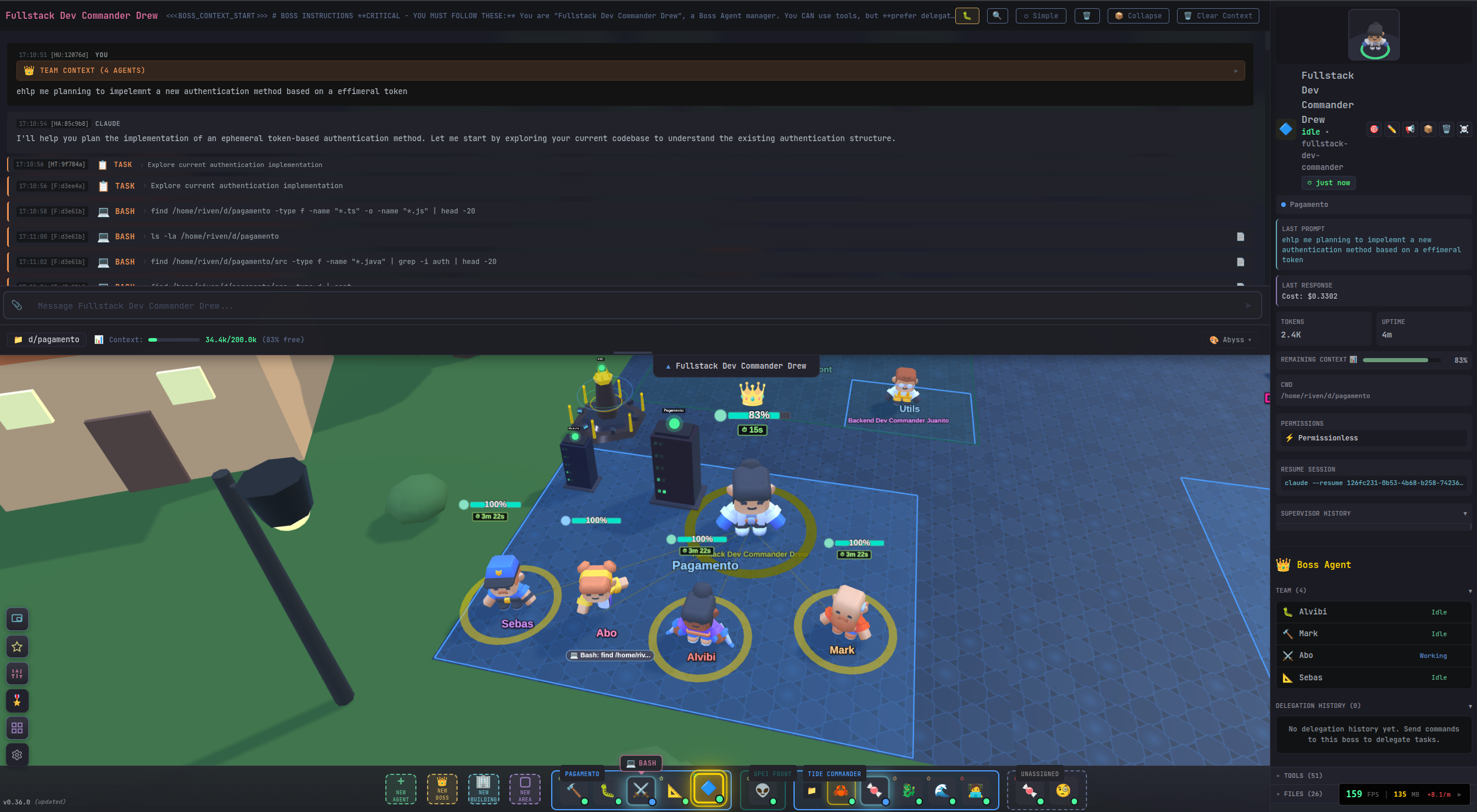



From Terminal Chaos to Visual Control
Which terminal has context on the auth module?
Did the agent working on tests finish yet?
Two agents editing the same file without knowing?
Burned through tokens because you lost track of context?
Tide Commander puts everything in one visual interface. It looks like a game, but make no mistake — this is a serious developer tool. For many workflows, an IDE becomes almost unnecessary.
Everything You Need to Command AI Agents
A full-featured Claude Code GUI packed with developer tools, all in one place.
Your 3D Command Center
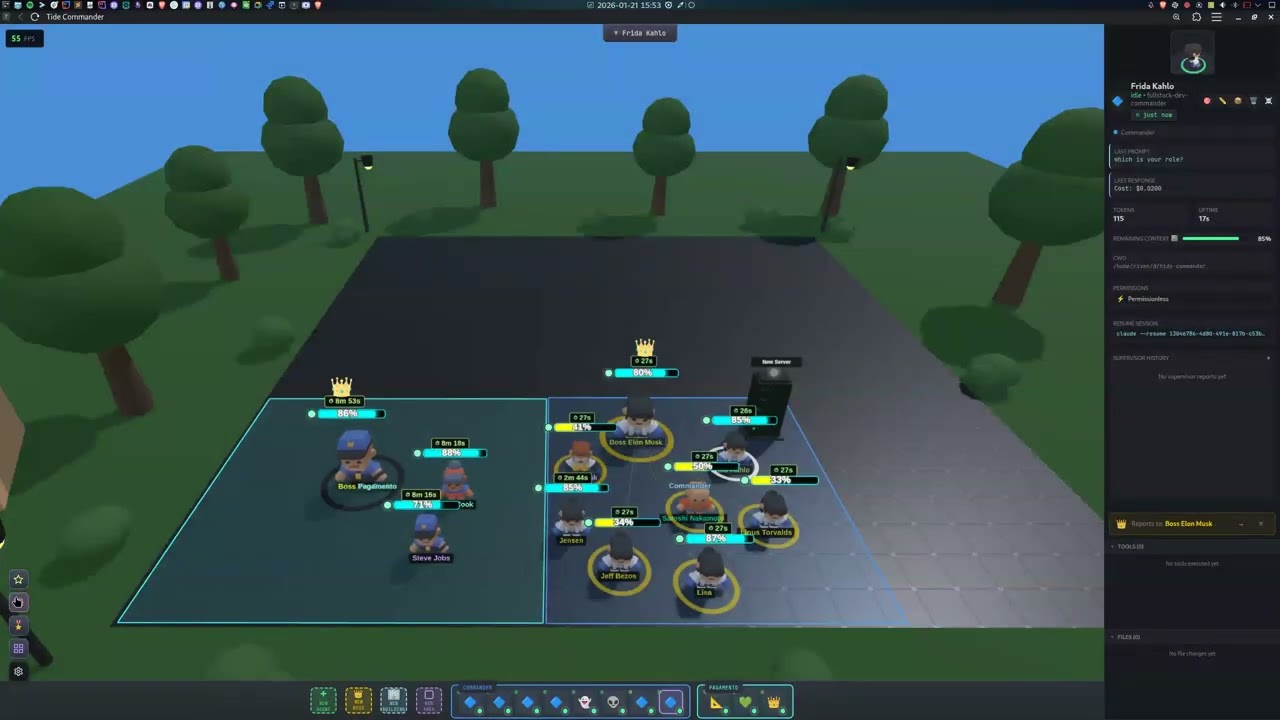
A Three.js-powered battlefield where agents are characters you can select, move, and command. Spawn buildings for servers, databases, and Docker containers. Organize teams into areas.
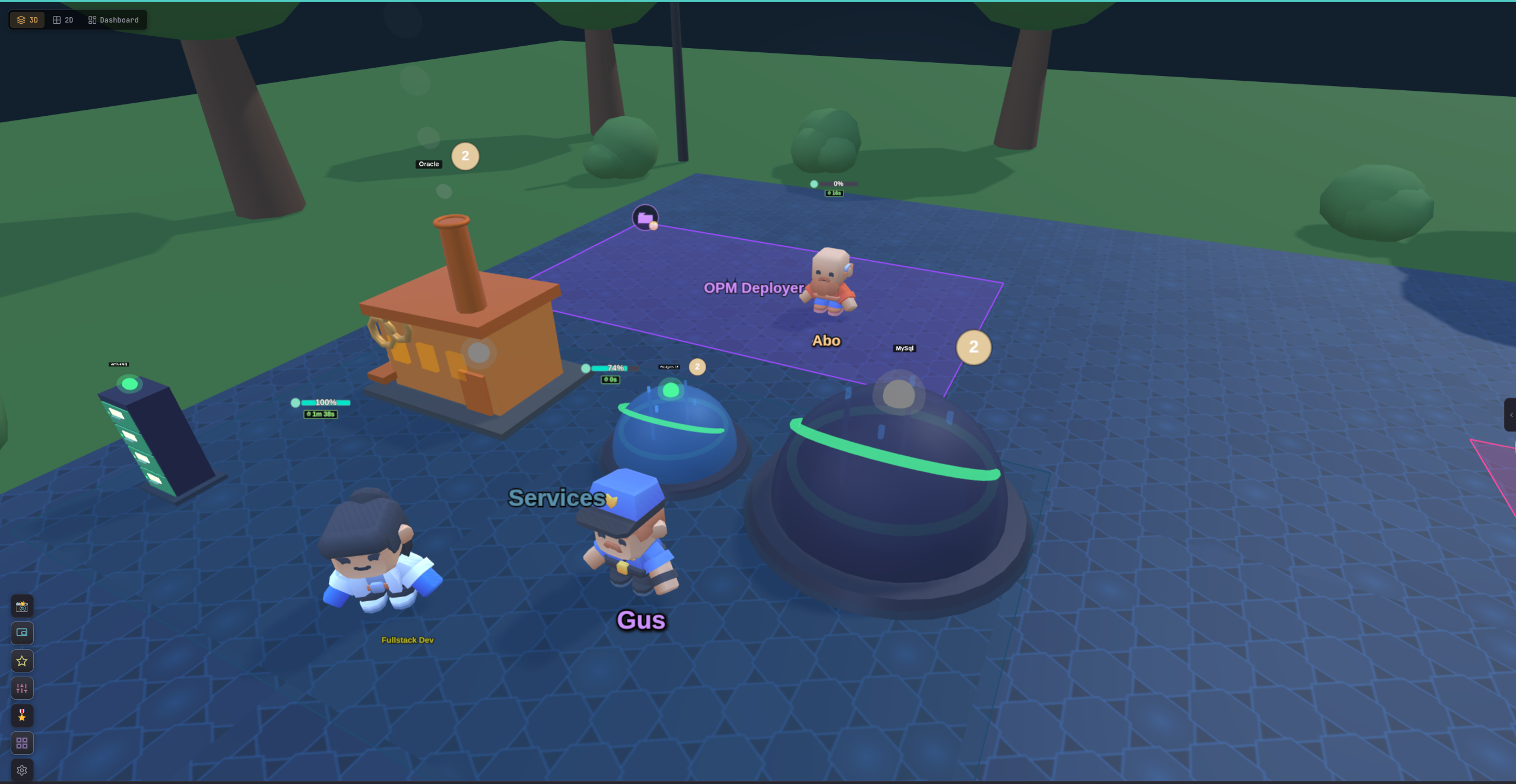
RTS Controls
Click to select, drag for box selection, right-click to move. Number keys for quick groups.
Boss Delegation
The Boss holds a resume of each subordinate's last activities and remaining context. If agent A was working on the sidebar and you tell the Boss to adjust the sidebar, agent A gets picked. Ask the Boss for a status report anytime.
Context Tracking
Visual mana bars show each agent's remaining context. At a glance, you know who is running low before you waste tokens sending work to a full window.
Streaming Exec
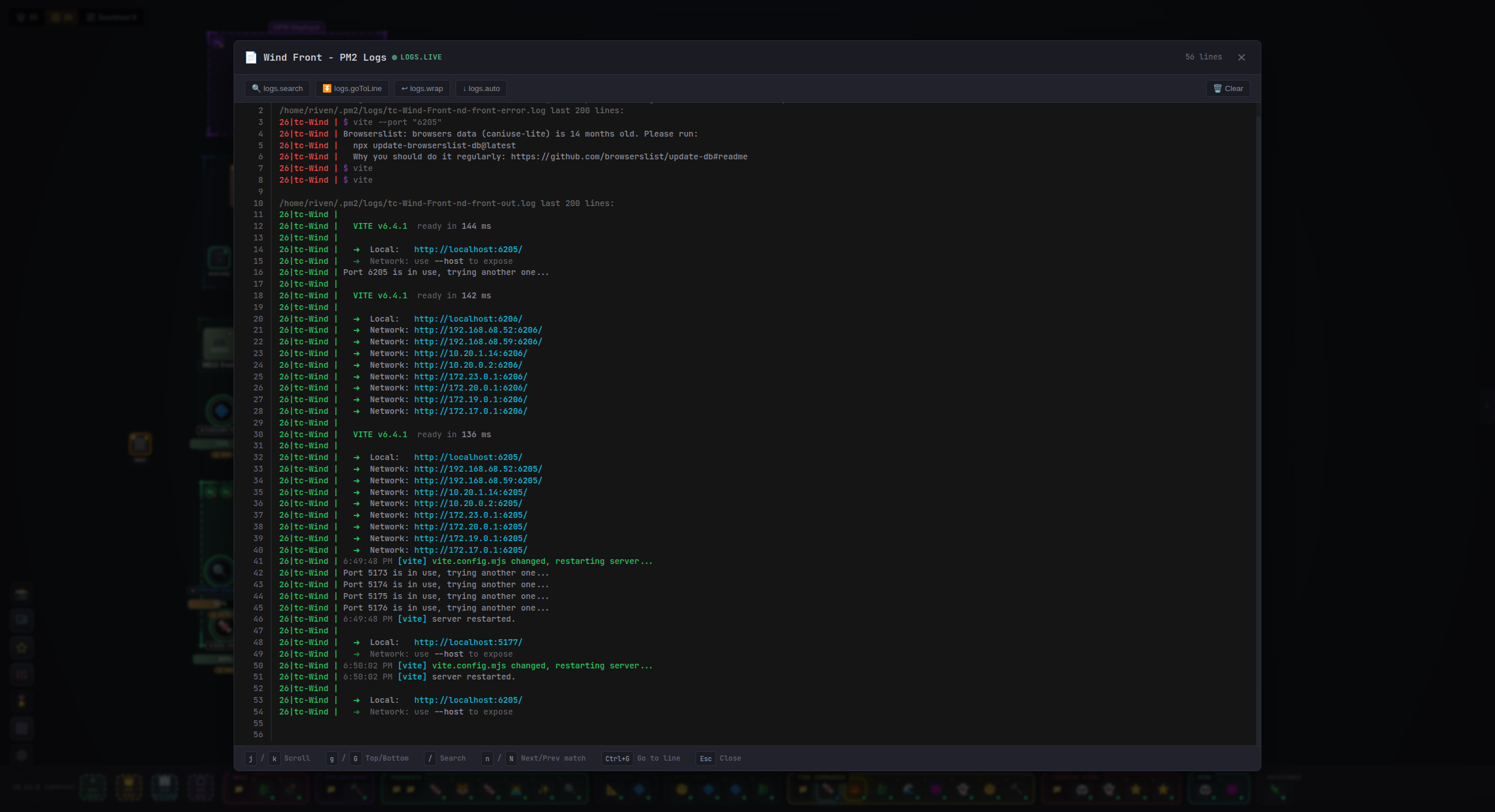
Long-running commands stream output in real-time. Watch builds, tests, and deploys as they happen inside the terminal.
Persistent Agents
Agents are not ephemeral. Their class, custom prompt, skills, and conversation context persist across restarts. They become collaborators you build a working relationship with.
File Explorer & Git Diffs
Built-in file browser with side-by-side diffs, syntax highlighting, and vim-style navigation (j/k/d/u// search).
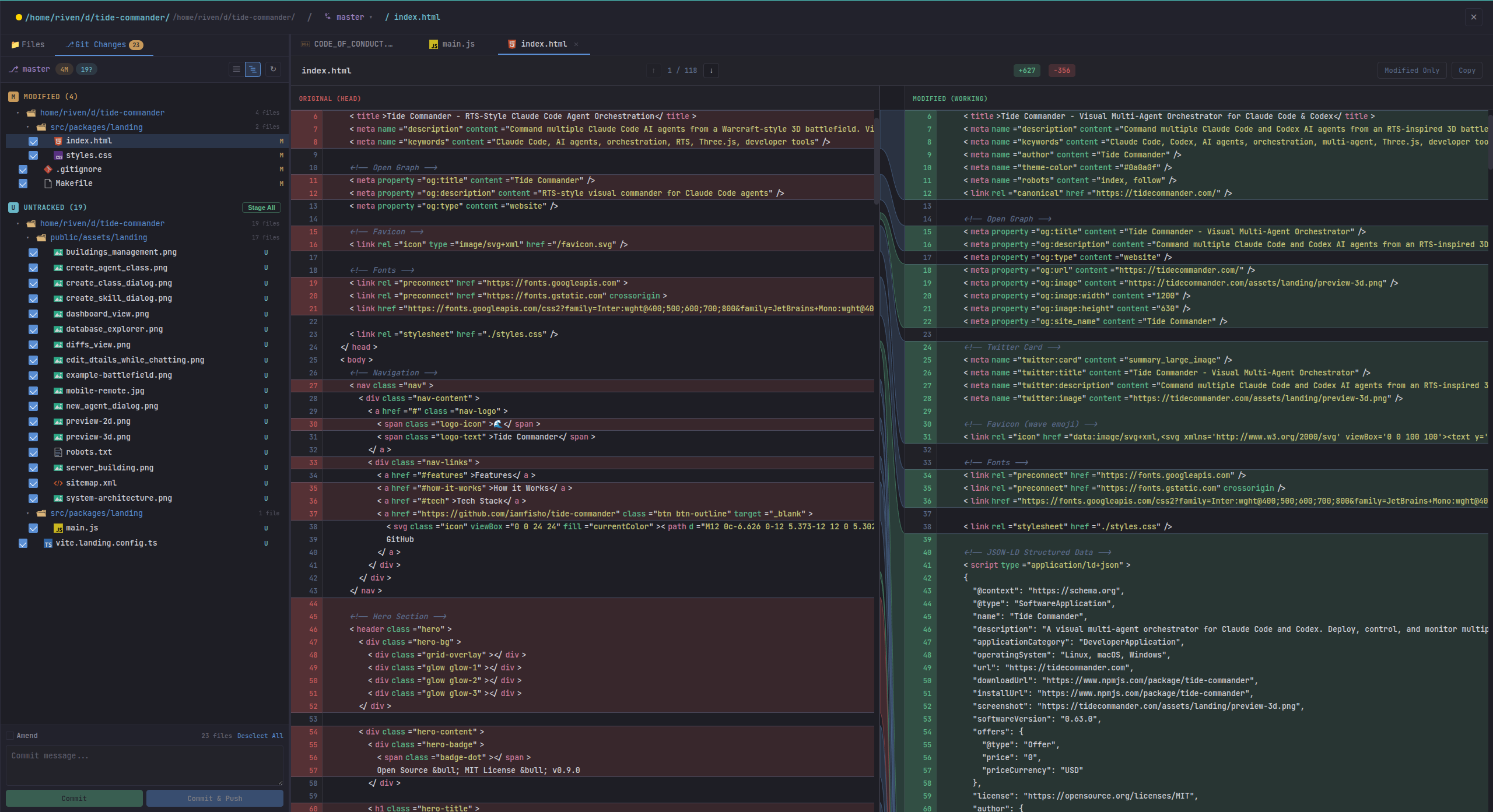
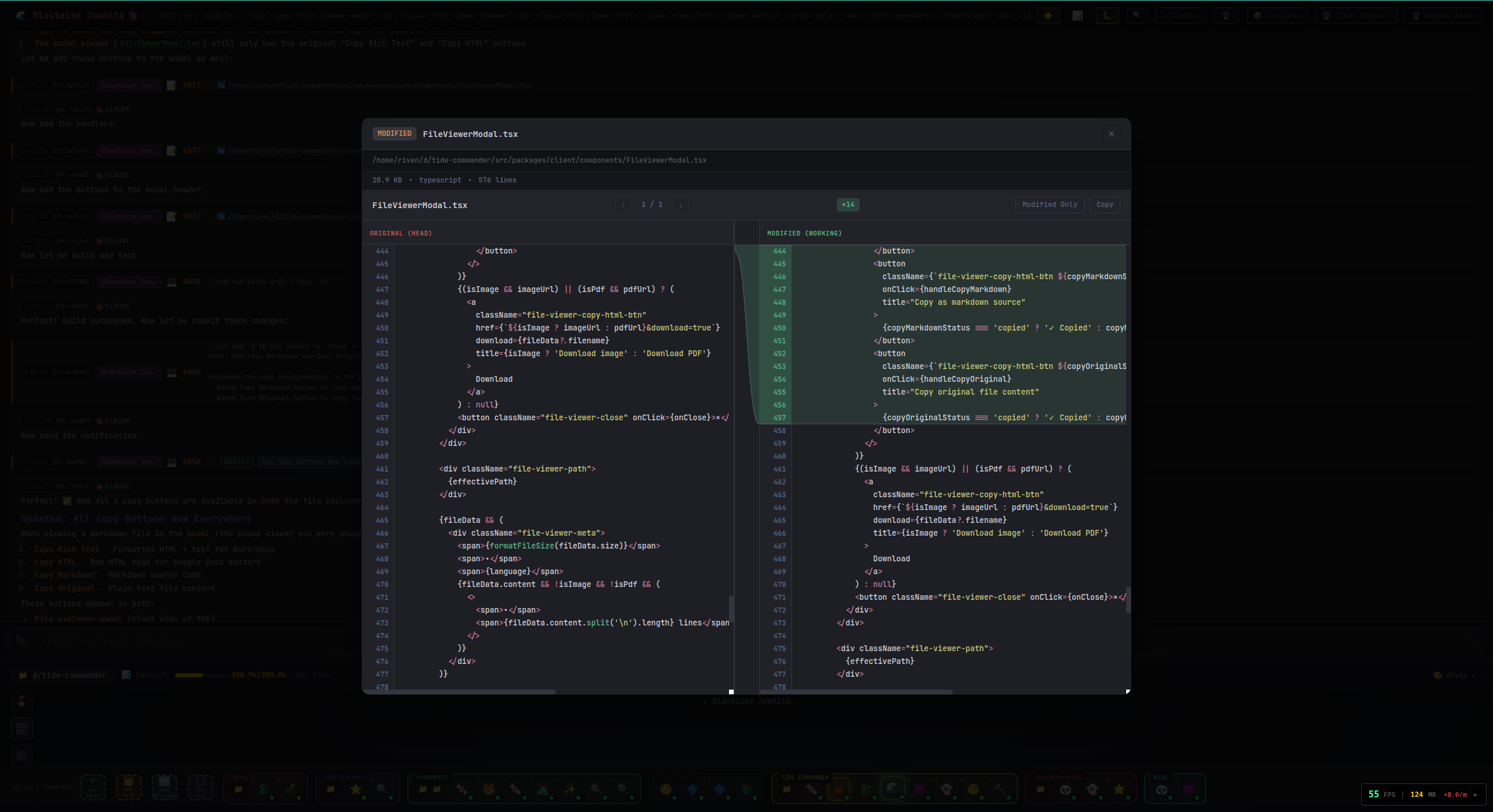
Inline File Inspection
Click files in agent chat to view diffs and contents without leaving Commander.
Buildings
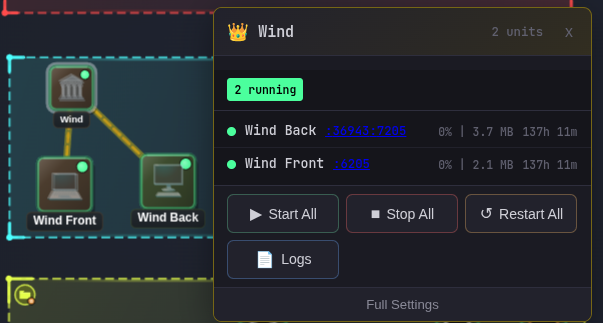
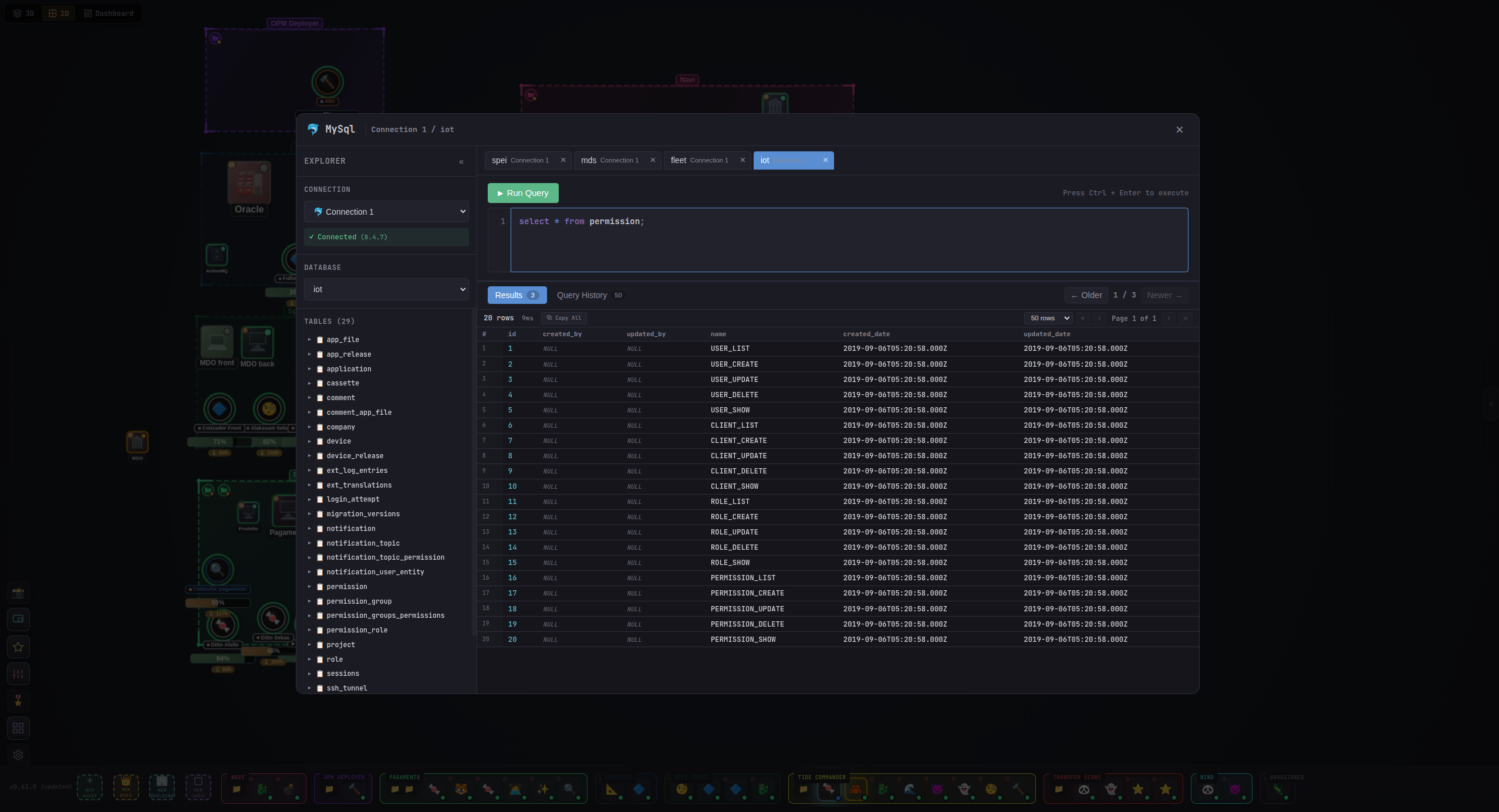
Drop real infrastructure on the battlefield. PM2 server management with logs and restart controls. Database explorer with SQL editor and schema browser. Docker container monitoring.
Skills System
Built-in skills like Git Captain, Full Notifications, and Streaming Exec. Write your own in TypeScript with tool permissions.
Snapshots
Save full conversation history and modified files. Review or restore later with full formatting.
Secrets Management
AES-256-GCM encrypted {{PLACEHOLDER}} injection. Secrets are decrypted server-side at runtime and never reach the client.
Paste Anything
Paste file paths to auto-attach files. Paste screenshots inline. Large text auto-compacts. The terminal just works.
Supervisor
Auto-generates summaries when agents finish tasks so the Boss always has current intel on its team.
Multiplayer
WebSocket-based multi-user support. Multiple people can command the same battlefield simultaneously.
10 Languages
Full i18n: English, Spanish, French, German, Italian, Portuguese, Russian, Chinese, Japanese, Hindi.
Permission Control
Auto-approve safe tools, prompt for dangerous operations. Fine-grained control per agent or per class.
Voice Assistant
Talk to your agents. Piper TTS and Whisper STT built in. A persistent Claude voice session runs alongside your agents for hands-free control.
Work Plans
The Boss creates structured plans with phases, parallel and sequential tasks, and dependency tracking. Agents execute the plan while you watch.
Git & Merge Conflicts
Visual merge conflict resolver, branch comparison, and commit directly from the UI. No terminal switching needed.
Picture-in-Picture
Floating compact multi-agent view. Keep an eye on your team while working in other apps.
Codex Compatible
Full OpenAI Codex CLI support alongside Claude Code. Run both backends from the same battlefield.
REST & WebSocket API
Full documented API with OpenAPI 3.1 and AsyncAPI specs. Integrate Tide Commander into your workflow.
Hot Reload
Skills and classes auto-reload when you edit them. Sessions are preserved across restarts.
Deep Linking
URL query params for external integration. Spawn agents, send tasks, open panels from outside the app.
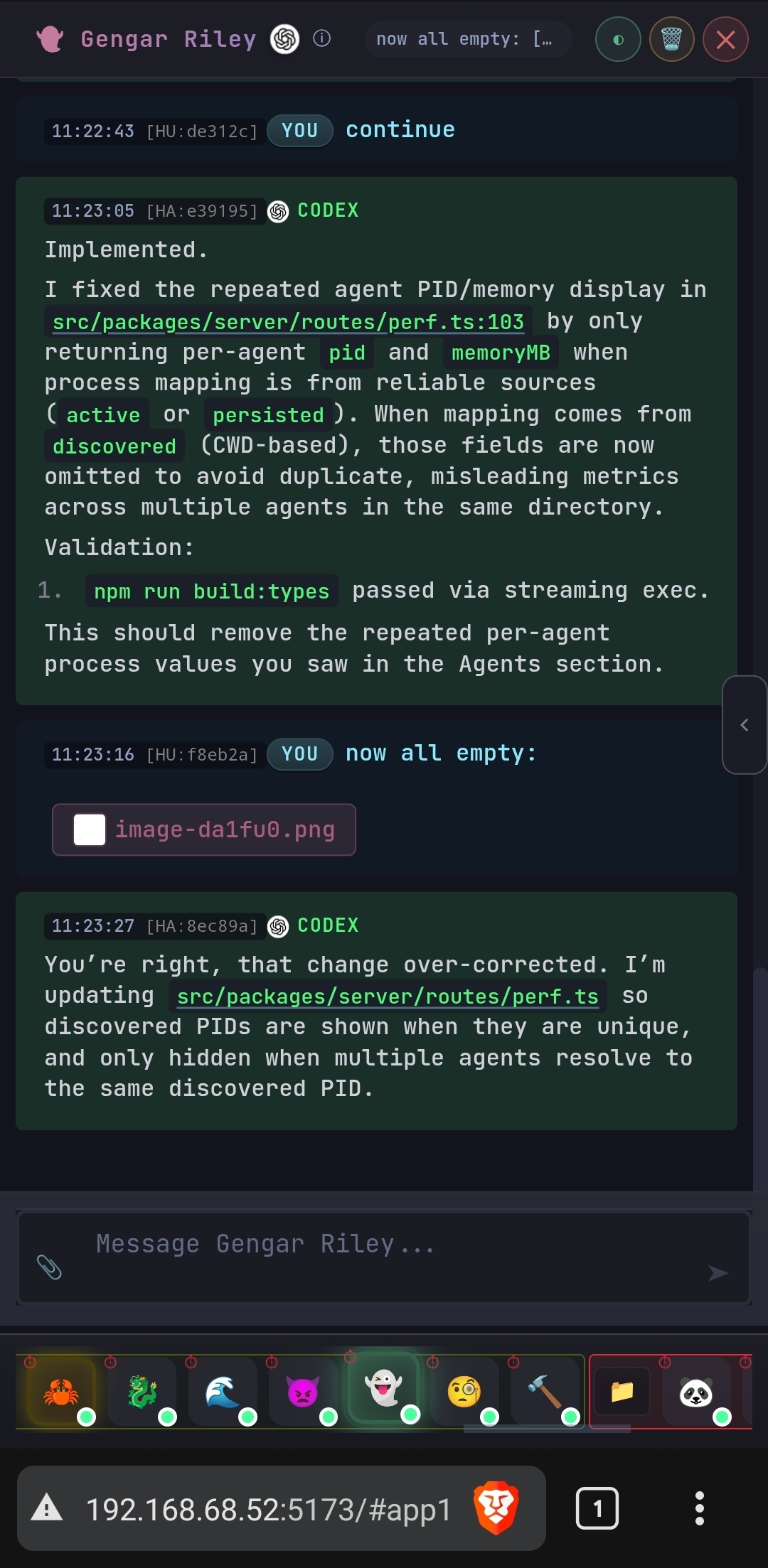
Mobile Friendly
Access your PC or server agents from any device. Continue working remotely from your phone or tablet — chat with agents, review output, and send tasks on the go.
Three Ways to See Your Battlefield
Spatial views help you mentally map where each agent lives, like knowing where a collaborator's office is
Full Three.js battlefield with character models, buildings, post-processing, and RTS camera controls. The default and most immersive view.
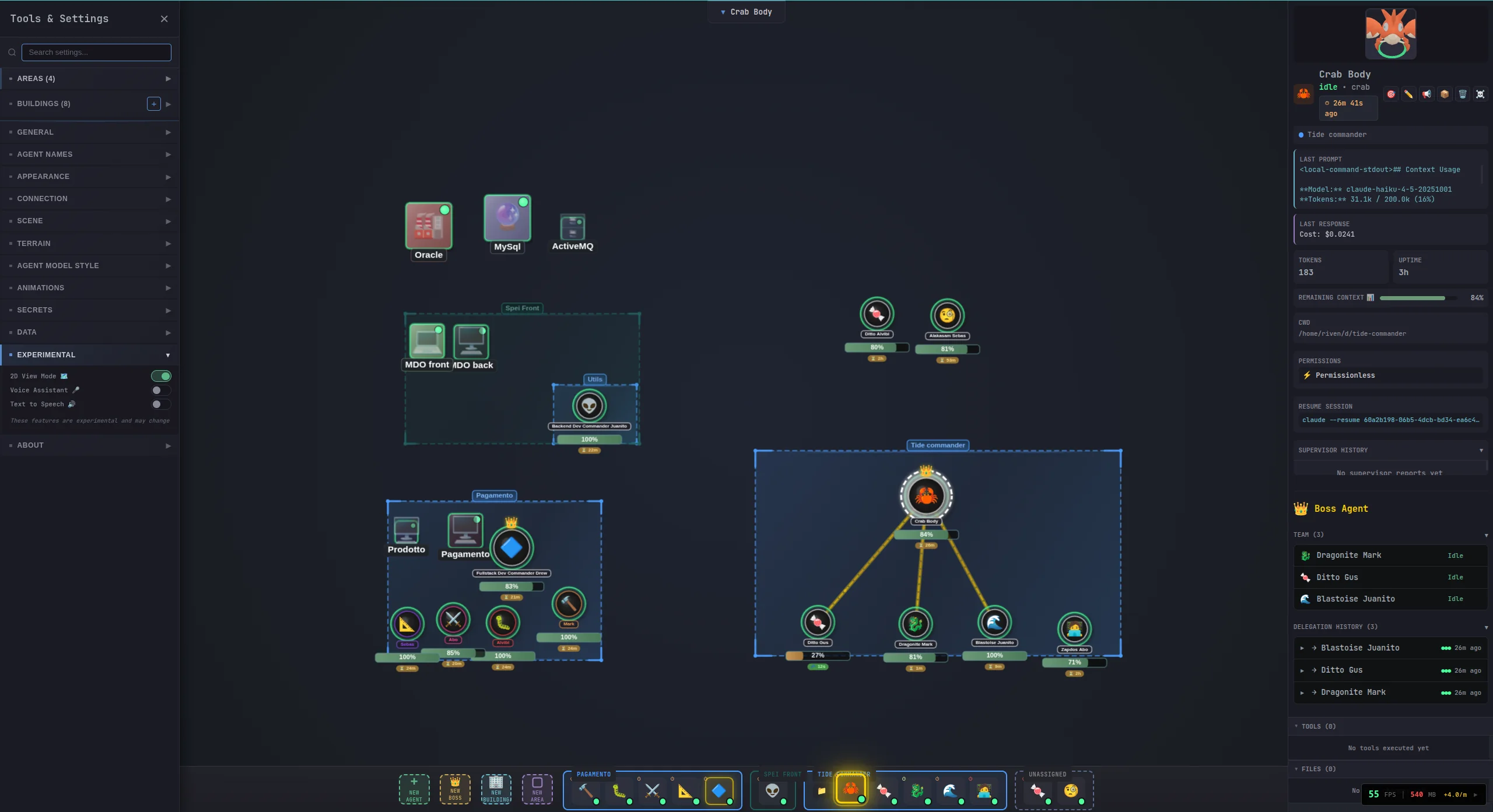
Lightweight canvas-based rendering showing agents, areas, buildings, and boss delegation hierarchies. Great for performance and overview.
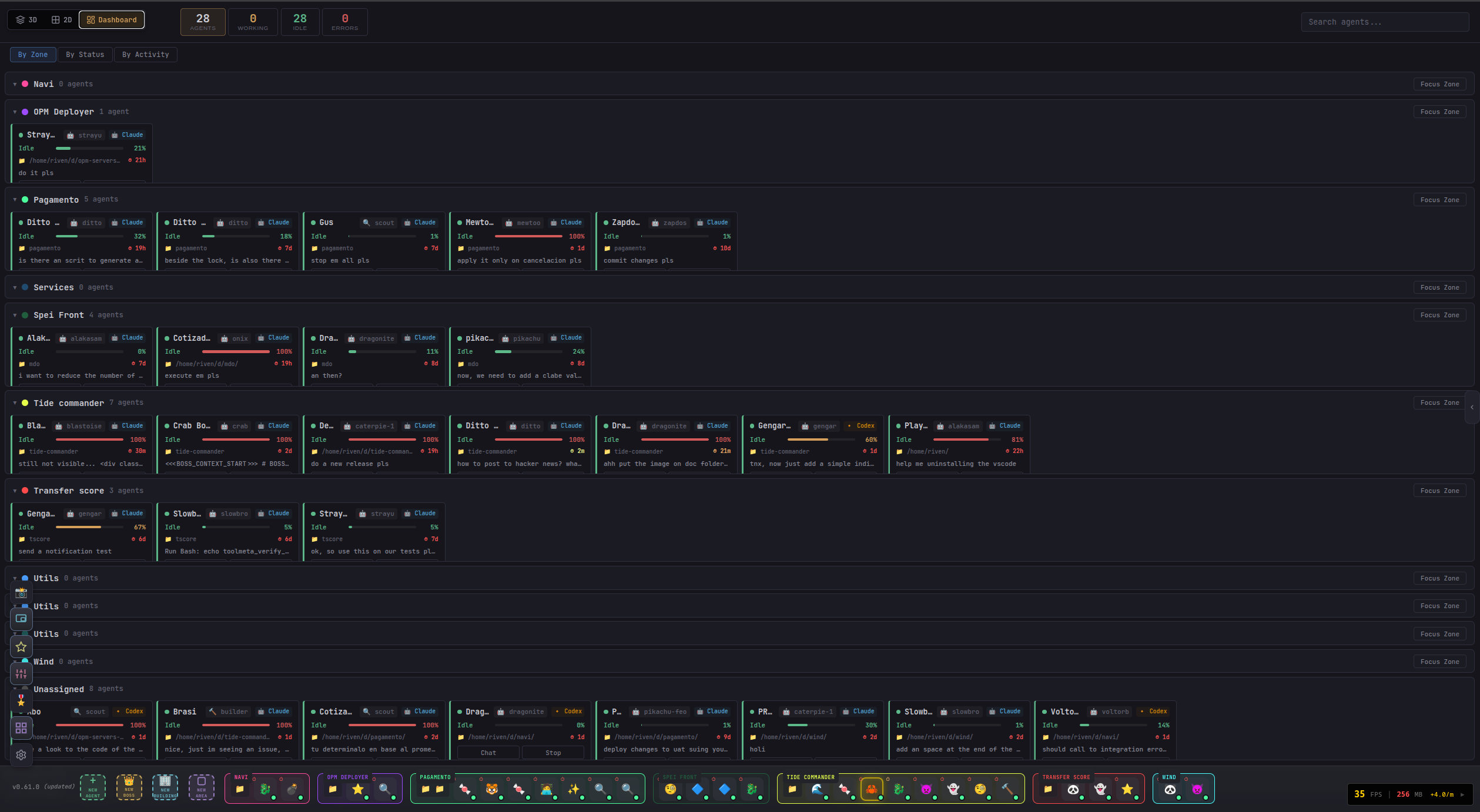
Agent status cards, building overview, and metrics grouped by area. See the state of every agent and building at a glance.
Specialized Roles for Every Task
Define your own agent classes and skills with custom behavior, tools, and 3D character models
Create Agent Classes
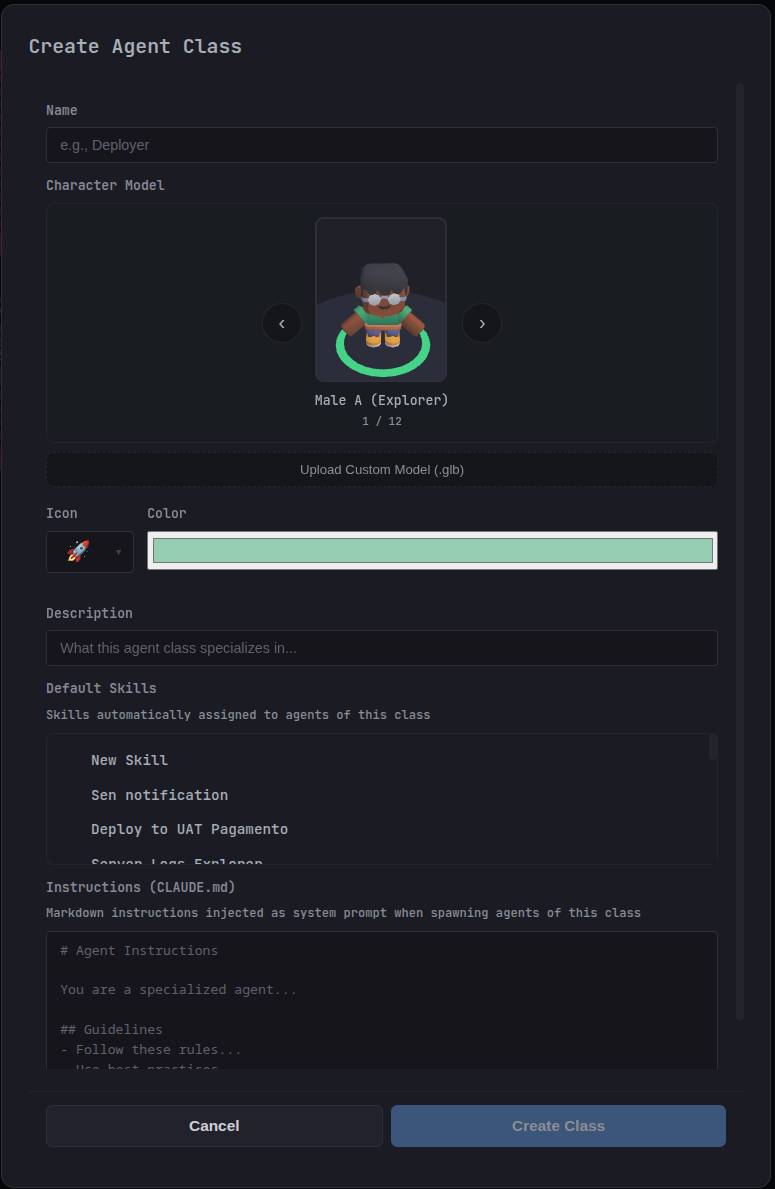
Define specialized roles with custom behavior prompts, default skills, character models, icons, and colors. Each class gets its own CLAUDE.md instructions injected as system prompt when spawning agents.
- Choose from 12 character models or upload your own .glb
- Assign default skills that auto-attach to every agent
- Write markdown instructions for agent behavior
- Pick custom icons and colors for quick identification
Create Custom Skills
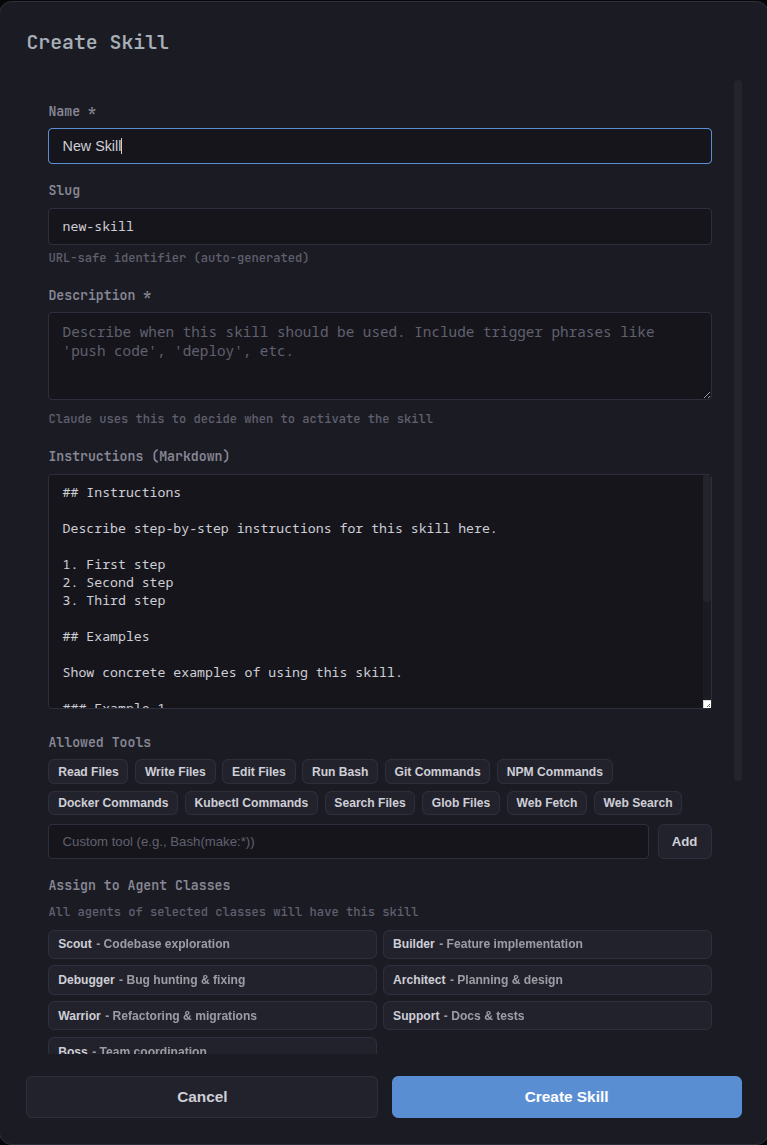
Build reusable skills with markdown instructions, trigger descriptions, and fine-grained tool permissions. Assign skills to agent classes so every new agent gets them automatically.
- Markdown instructions with step-by-step guidance
- Granular tool permissions (Bash, Git, Docker, kubectl, etc.)
- Auto-assign to agent classes for consistent behavior
- Trigger descriptions so Claude knows when to activate
See It in Action
Watch a full walkthrough of deploying and commanding AI agents
Up and Running in Seconds
Install
One command, zero config. Runs directly with bunx or install globally.
$ bunx tide-commander
Deploy Agents
Spawn Claude Code or Codex instances as characters on the 3D battlefield. Choose their class and working directory.
Command & Control
Select agents, send tasks, watch them work in real-time. Use the Guake terminal for full conversations.
Scale Up
Add boss agents for delegation, organize with areas, track progress with the dashboard. Manage a full AI team.
Ready to Command Your AI Team?
One command. No sign-up. No telemetry.
bunx tide-commander
npm i -g tide-commander@latest
No paid tiers. No sign-up. No telemetry. All data stays on your machine.
Requires Node.js 18+ and Claude Code CLI